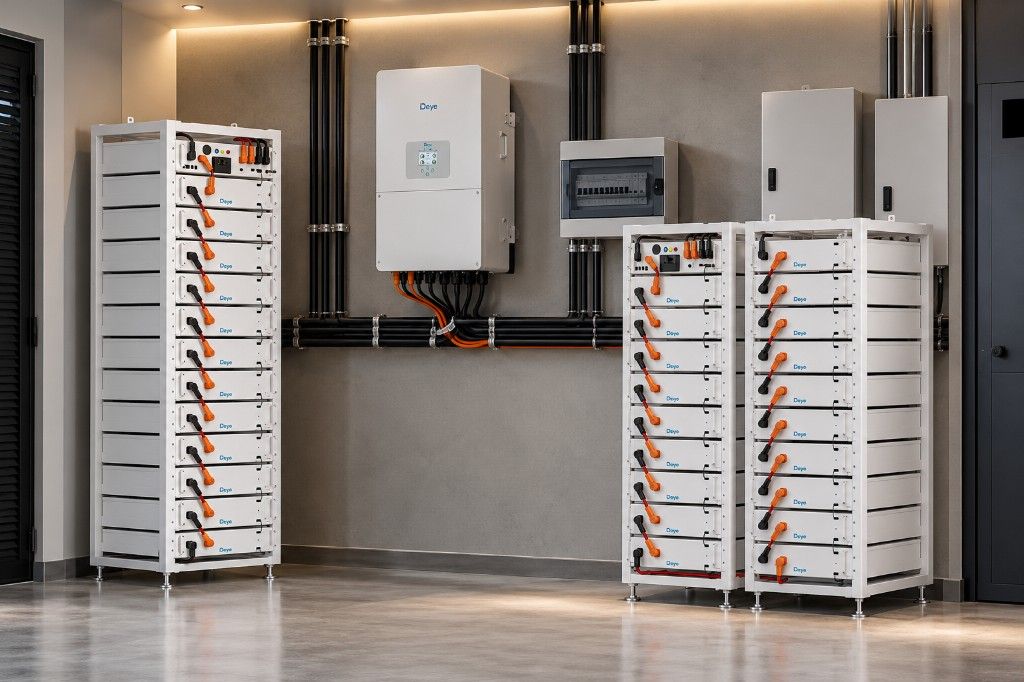
Power cuts are when homes, estates and businesses are most exposed. Lights go out, gates stop, and cameras without backup stop recording. A security or smart-home system is only as reliable as the power behind it.
This guide explains which devices need backup power, the options for providing it, and how to size it.
Which devices need backup power
Make a list of everything your security and control systems depend on. It is usually longer than people expect:
| Device | Why it matters in an outage |
|---|---|
| CCTV cameras | No power, no images |
| Network video recorder (NVR) | Cameras may run, but nothing is recorded |
| Network switch with PoE | Powers IP cameras over the network cable |
| Internet router or modem | Needed for phone viewing and alerts |
| Access control panel and readers | Doors may fail locked or unlocked |
| Electric locks and strikes | Check whether they fail safe (unlock) or fail secure (stay locked) |
| Gate motor | Without power the gate must be opened by hand |
| Alarm panel and sirens | Most have a small internal battery that may not last a long outage |
| Intercom and video door phone | Visitors cannot be screened |
| Security and perimeter lighting | Cameras need light to see at night |
| Smart-home hub and Wi-Fi | Scenes, schedules and app control stop working |
Your backup power options
Built-in batteries
Alarm panels, some gate motors and some access controllers have small internal batteries. These are useful for short interruptions but are rarely enough for the long outages common in Nigeria. Check how long each one actually lasts.
UPS (uninterruptible power supply)
A UPS switches over instantly, so recorders and network equipment do not reboot or lose recordings. Small UPS units are designed for minutes or a few hours, not overnight. They suit short outages, or bridging the gap until a larger system takes over.
Inverter and battery on a dedicated circuit
A dedicated inverter and battery for security and network equipment can run them through long outages. Wiring these loads to their own protected circuit means they are not drained by air conditioners or other heavy loads in the building.
Solar-powered backup
Adding solar panels lets the batteries recharge during the day, so security equipment can run indefinitely through multi-day outages. On larger sites, a dedicated solar and battery kit can power remote cameras or a gatehouse with no cable back to the main building.
Connecting to your main solar system
If you already have, or are planning, a home or business solar system, security loads can be put on its essential-loads circuit. Make sure the system is sized for them, and that load-shedding rules never switch off security equipment.
How to size backup power
The method is the same as for any solar or inverter system. Our home solar sizing guide explains it in more detail.
- List each device and its power in watts, from the label or datasheet. Note whether IP cameras are powered through a PoE switch, so you count the switch rather than each camera separately.
- Add up the total watts for everything on the backup circuit.
- Decide how many hours of backup you need without the grid or generator.
- Multiply watts by hours to get the energy needed in watt-hours.
- Allow for usable battery capacity and inverter losses. See our battery guide for how much of each battery type you can actually use.
Worked example with assumed figures
These figures are illustrations only. Check the real wattage of your equipment.
| Device | Watts (assumed) | Quantity | Total |
|---|---|---|---|
| IP cameras | 6 W | 8 | 48 W |
| PoE network switch (overhead) | 20 W | 1 | 20 W |
| NVR with hard drive | 25 W | 1 | 25 W |
| Router | 15 W | 1 | 15 W |
| Access control and electric lock | 20 W | 1 | 20 W |
| Smart-home hub | 10 W | 1 | 10 W |
| Continuous total | 138 W |
Running 138 W for 12 hours needs about 1,656 Wh, or roughly 1.7 kWh of usable energy, before inverter losses. A gate motor adds short bursts of high power each time the gate opens, so count the number of openings you expect and check the motor’s datasheet.
Gate motors need special attention
Gate motors draw a high current for short periods. Many come with their own battery and charger, which is a good design: the mains or inverter keeps the gate battery charged, and the gate battery handles the surges. If yours does not, make sure the backup inverter can handle the motor’s starting load, and that the gate can be released and opened by hand.
Fail-safe or fail-secure?
Electric locks behave differently when power fails:
- Fail-safe locks unlock when power is lost. They are often required on escape routes.
- Fail-secure locks stay locked when power is lost. They protect stores and restricted areas.
Backup power reduces how often this matters, but you should still know which type each door uses and what happens if the backup runs out.
Keep it working
- Test regularly. Switch off the mains on purpose and check that cameras keep recording, gates open and the alarm stays armed.
- Watch battery health. Batteries lose capacity with age and heat. Replace them before they fail.
- Keep the equipment cool and ventilated. Recorders and batteries in a hot cupboard fail early.
- Protect against surges. Lightning and grid surges damage cameras and network equipment. Earthing and surge protection are essential.
- Check the internet backup. Phone alerts are useless if the router has no power.
Every security system we design includes backup power for these loads. See our security service and our home automation service for what is included.
Updated